



How to Setup IPTV on Firestick
Learn how to install and set up IPTV Smarters Pro on your Amazon Fire TV Stick with this easy step-by-step guide. Follow along to get access to all your IPTV channels, movies, and shows directly on your TV.
Step 1: Prepare Your Firestick for Sideloading

Before you install IPTV Smarters Pro, enable sideloading by allowing apps from unknown sources.
- Go to Settings → My Fire TV → Developer Options.
- Turn on Install unknown apps for Downloader.
- If Developer Options are hidden, unlock them by pressing the select button on the device name several times under About.
Step 2: Install the Downloader App & Download IPTV Smarters

The Downloader app lets you download IPTV Smarters Pro since it’s not in the Amazon App Store.
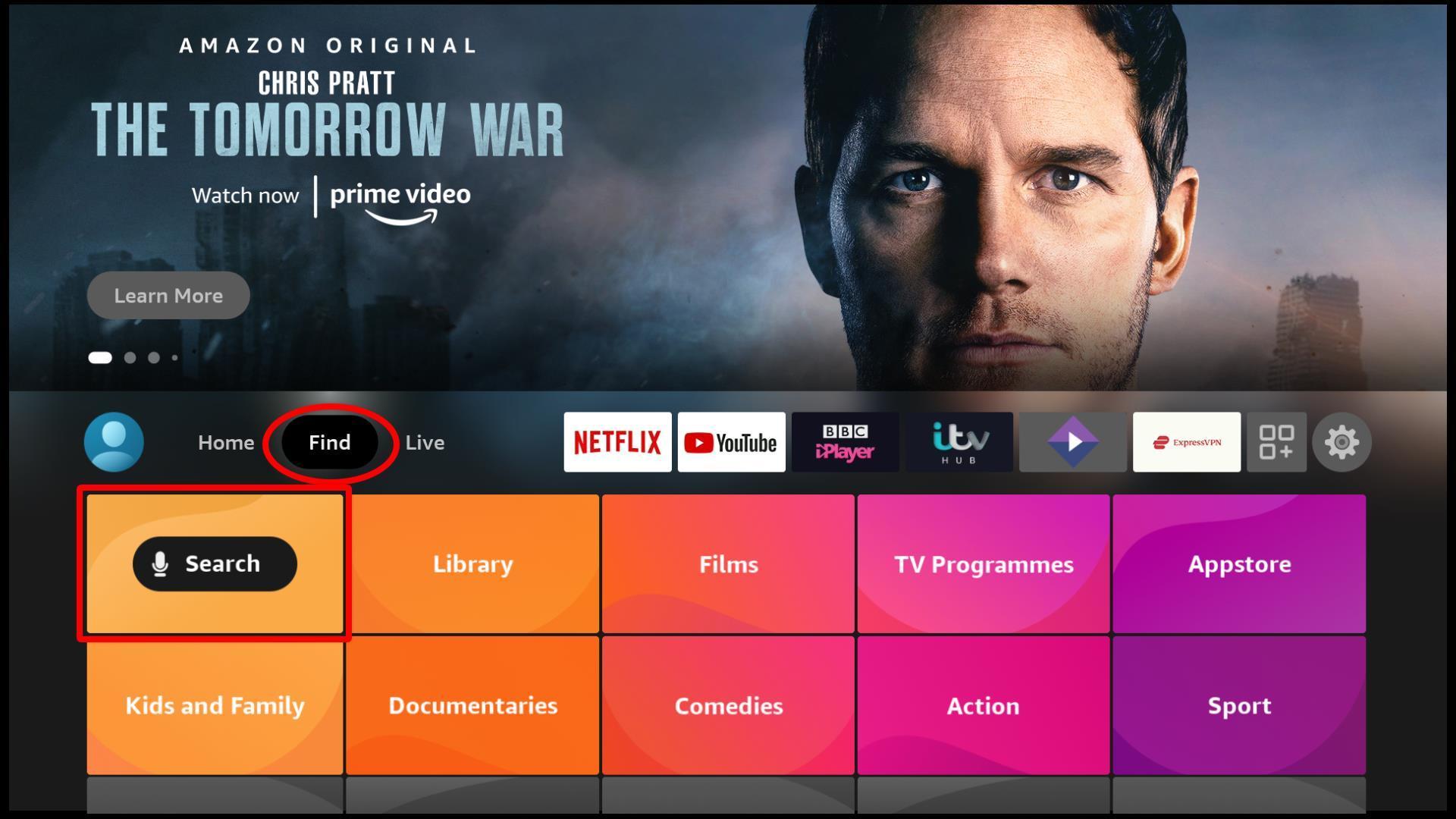
- Go to Find → Search and type Downloader.
- Install and open the app.
- Enter the IPTV Smarters Pro APK link provided by your IPTV provider or a trusted site.
- Once downloaded, select Install and then Done.
Step 3: Launch IPTV Smarters Pro

Open IPTV Smarters Pro from your apps list. When you first launch, you’ll see a Terms of Use screen — click Accept to continue.
Step 4: Add Your IPTV Service
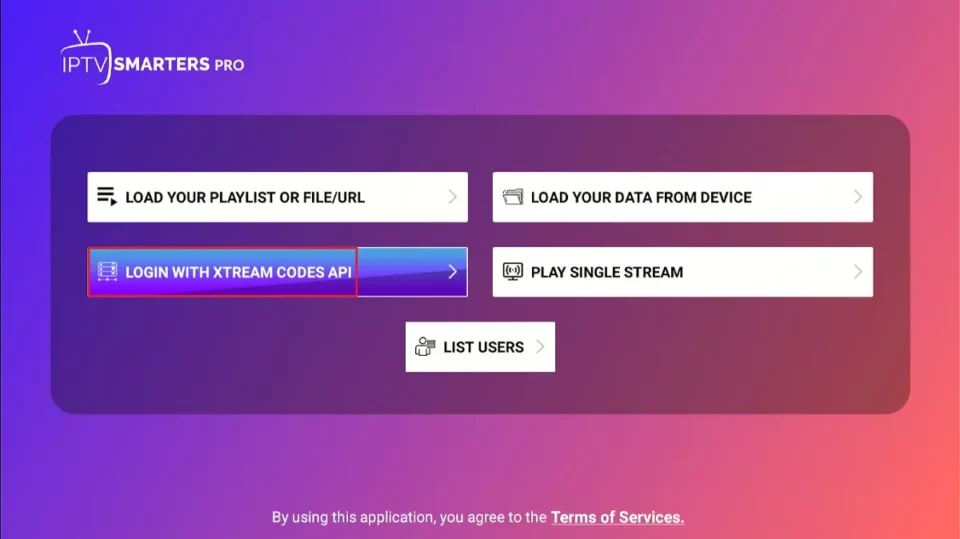
Connect the app to your IPTV provider using either:
- Xtream Codes API – enter your username, password, and server URL.
- M3U URL – paste your playlist link directly.
Click Add User or Login and wait for your content to load.
Step 5: Wait for Channels, Movies & EPG to Load
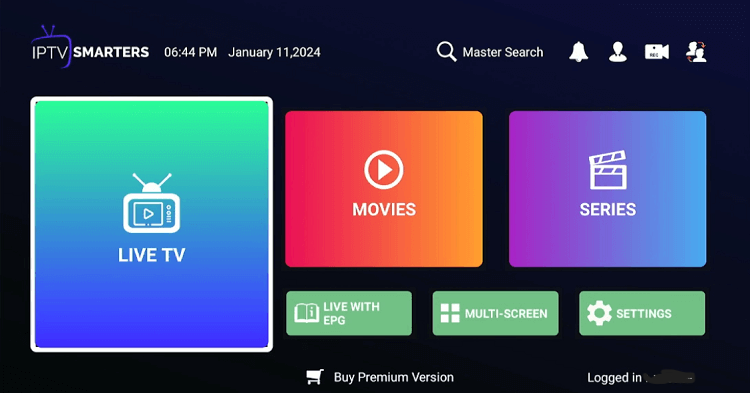
The app will now load all your live channels, movies, series, and the TV guide (EPG). This process may take a minute depending on your internet speed and playlist size.
Step 6: Start Watching!
Everything’s ready! Browse through Live TV, Movies, or Series and start watching your favorite content instantly.
💡 Pro Tips
- Use a stable internet connection (20 Mbps+ for HD, 25 Mbps+ for 4K).
- If playback freezes, clear the app cache or reinstall.
- Always use IPTV from legitimate sources.
- Downloader and sideloaded apps must come from trusted sites.
That’s it! You’ve successfully installed and set up IPTV Smarters Pro on your Firestick. Enjoy seamless streaming across all your devices.
Leave a Reply