




How to Setup IPTV on Formuler Box (MYTVOnline 2) — Step-by-Step Guide
This guide shows how to install and configure IPTV on Formuler devices (Z8, Z10, Z11 and newer) using MYTVOnline 2. Follow the steps below to add your portal URL, enable EPG, and start watching live TV and VOD.
What you’ll need
- Formuler device (Z8, Z10, Z11 or similar)
- MYTVOnline 2 app (preinstalled or available in Market)
- Portal URL or Xtream Codes credentials from your IPTV provider
- Ethernet connection (recommended) or stable Wi-Fi
- HDMI cable and TV
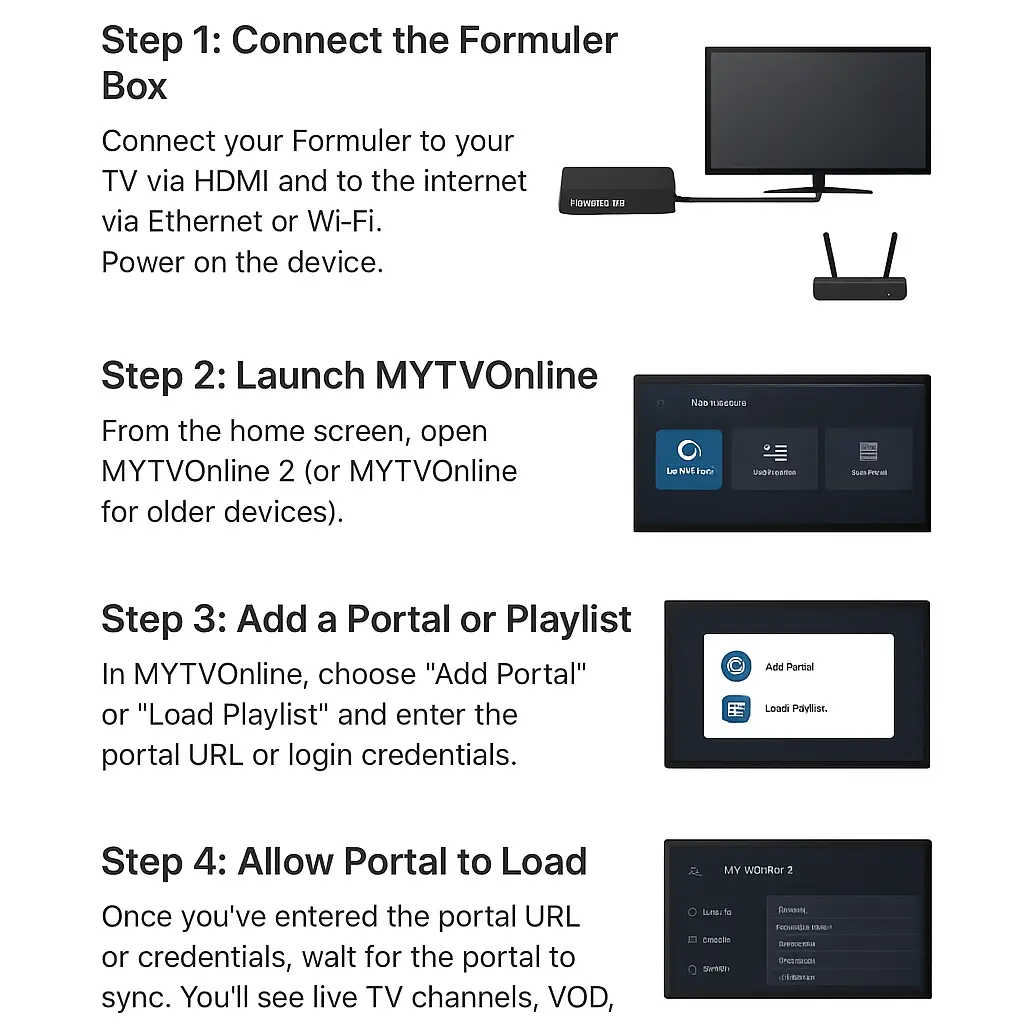
1. Connect the Formuler box
Plug your Formuler into the TV with an HDMI cable and to the internet using an Ethernet cable for the most stable playback. Power on the device and wait for the Formuler home screen to appear.
Quick tip: Use Ethernet when possible — it reduces buffering and improves EPG reliability.
2. Launch MYTVOnline 2
On the Formuler home screen choose MYTVOnline 2 (or MYTVOnline for older models). If the app is missing, open the Market app and install or update it.
3. Add Portal URL or Xtream Codes
In the app select Add Portal (or Add → Portal). Choose the login method your provider supports:
- Portal URL: Paste the exact portal link from your provider.
- Xtream Codes: Enter server URL, username, and password (recommended when available).
Important: If your provider requires MAC activation, find your device MAC in Settings → Device Info and send it to them for activation before the portal will load.
4. Wait for the portal to load & configure EPG
After entering portal details click Connect. The app will fetch your channel lists, on-demand library, and EPG (if the provider provides it). This can take 30–60 seconds for large playlists.
Optional: If EPG times look wrong, set the NTP/time server (e.g. pool.ntp.org) inside device settings so guide times align correctly.
5. Start Watching IPTV
Once loaded, go to Live TV to pick channels, or browse Movies/Series for on-demand content. Use Favorites or the EPG guide to find shows quickly.
Troubleshooting & Pro Tips
- No channels after adding portal: Confirm portal URL and MAC activation with your provider.
- Buffering or freezes: Use wired Ethernet or a faster Wi-Fi band (5 GHz); close background apps.
- EPG times wrong: Set NTP to
pool.ntp.organd restart the portal. - App missing or outdated: Update MYTVOnline 2 from Market or check Formuler firmware updates.
- Always use a trusted IPTV provider — illegal streams can be unstable and unsafe.
Leave a Reply