



Live TV streaming has changed the way people watch television. Instead of relying only on traditional cable or satellite packages, viewers can now use an internet connection and a compatible streaming device to watch live channels, sports, news, entertainment, and on-demand content.
But with so many TV streaming services and online TV options available, choosing the right one can be difficult. The best choice depends on the channels you watch, your budget, the devices you use, and whether you want live television, on-demand programming, or a combination of both.
In this guide, we’ll explain what to look for in a live TV streaming service, compare several popular options, discuss the most important features, and explain how to choose the right online TV service for your home.
What Is Live TV Streaming?

Live TV streaming is the delivery of television channels over the internet instead of through traditional cable or satellite television infrastructure.
Depending on the service, you may be able to watch live news, sports, entertainment, local channels, television shows, and other programming through a smart TV, Fire TV Stick, Android TV device, streaming box, computer, tablet, or smartphone.
A typical live TV streaming setup requires three things:
- A reliable internet connection
- A compatible device or smart TV
- A legitimate TV streaming service or application
Some services focus primarily on live channels, while others combine live television with large on-demand libraries. Understanding this difference is important when comparing the best TV streaming service for your needs.
Live TV Streaming vs Traditional Cable TV
One of the main reasons people move to online television services is flexibility. Traditional cable packages often require dedicated equipment and long-term packages, while internet-based TV can be accessed through devices that many households already own.
| Feature | Traditional TV | Live TV Streaming |
|---|---|---|
| Delivery | Cable or satellite | Internet connection |
| Compatible devices | Primarily television equipment | Smart TVs, streaming devices, phones, tablets and computers |
| Portability | Limited | Generally more flexible |
| On-demand content | Depends on provider | Often available |
| DVR features | Depends on package | Often available with selected services |
For many viewers, the biggest advantage is being able to use one internet connection and a compatible device to access television without relying exclusively on a traditional cable box.
What Makes the Best TV Streaming Service?
There is no single TV streaming service that is perfect for everyone. The best option depends on what you actually watch.
Before subscribing to an online TV service, consider these factors:
- Channel lineup: Does it include the channels you watch most?
- Price: Does the monthly cost fit your budget?
- Sports: Are your preferred sports and leagues available?
- Local channels: Does the service provide the local networks you need?
- DVR: Can you record live programs?
- Simultaneous streams: Can multiple people watch at the same time?
- Device support: Does it work with your TV or streaming device?
- App experience: Is the streaming app for TV easy to navigate?
Comparing these factors is more useful than choosing a service simply because it has the largest number of channels.
Popular Live TV Streaming Services
The market includes several well-known services with different strengths. For example, the options below illustrate how different services target different types of viewers.
YouTube TV — Broad Channel Selection
YouTube TV is designed for viewers who want a large selection of live channels in one subscription. The service has historically emphasized live news, entertainment and sports, along with features such as cloud DVR and multiview on supported devices and content.
This type of service can be attractive to households that want an experience closer to traditional cable television while using an internet connection instead.
The main consideration is cost. A larger channel lineup can be useful, but you should compare the channels you actually watch against the monthly subscription price.
Philo — Entertainment-Focused Streaming
Philo is positioned toward viewers who prioritize entertainment and lifestyle programming rather than comprehensive sports and news coverage.
This can make it appealing to people looking for a lower-cost way to access selected live television channels and on-demand programming.
However, viewers who regularly watch major sports or news networks should check the current channel lineup before choosing Philo.
Fubo — Sports-Focused Live TV
Fubo is particularly associated with sports-focused live television. Depending on the current package and availability in your market, sports fans may find its lineup and sports-related features useful.
If live sports are the main reason you are looking for an online TV service, compare the exact networks and competitions available before subscribing.
Sports rights and channel availability can change, so always verify the current offering directly with the service.
Hulu + Live TV — Live and On-Demand Content
Hulu combines live television with an on-demand entertainment library, making it an option for households that want both types of content.
This hybrid approach can be useful if you want access to live channels but also want a large selection of shows and movies available whenever you choose to watch them.
Families should also check the current supported devices, content restrictions, simultaneous-stream limits and available package options before subscribing.
Sling TV — Flexible Packages
Sling TV takes a different approach by offering package options designed around different channel preferences.
This can be useful for viewers who don’t want to pay for a large bundle of channels they rarely watch. When comparing packages, check exactly which networks are included and whether additional channel packages are required.
Live TV Streaming Service Comparison
The following comparison provides a simple way to think about the strengths of different services. Prices, channels and features can change, so use the table as a starting point rather than a permanent pricing reference.
| Service | Best For | Main Advantage | Consideration |
|---|---|---|---|
| YouTube TV | General live TV | Broad channel selection | Higher monthly cost |
| Philo | Entertainment | Budget-focused option | Limited sports and news |
| Fubo | Sports | Sports-focused lineup | Check current channel availability |
| Hulu + Live TV | Families and mixed viewing | Live and on-demand content | Package options vary |
| Sling TV | Flexible channel packages | Customizable options | Some channels require add-ons |
How to Choose the Best Online TV Service
Choosing an online TV service should start with your viewing habits rather than the marketing claims of a particular provider.
1. Make a List of Your Must-Have Channels
Write down the channels you watch regularly. These might include sports networks, news channels, entertainment networks, local stations, or children’s programming.
Then compare that list with each service’s current channel lineup.
2. Consider Your Monthly Budget
Another important factor is price, because the monthly cost can vary significantly between live TV streaming services.
Remember that the advertised subscription price may not represent your total monthly entertainment cost. Premium channels, sports packages, additional streams and other features can increase the final price.
3. Check Device Compatibility
Before subscribing, make sure the service supports the device you intend to use.
Common options include:
- Smart TVs
- Amazon Fire TV Stick
- Android TV and Google TV devices
- Roku devices
- Apple TV
- Smartphones and tablets
- Computers and web browsers
Similarly, device compatibility is particularly important if you plan to watch television using a dedicated streaming app for TV.
4. Check DVR and Simultaneous Streaming Features
If several people in your household watch different programs, check how many devices can stream simultaneously.
DVR functionality is also useful if you regularly watch live television but cannot always watch a program when it airs.
What Is a Streaming App for TV?
A streaming app for TV is software designed to deliver video content through an internet-connected television or streaming device.
Streaming apps can provide different types of content. Some focus on live television, while others specialize in movies, series, sports, news, or on-demand programming.
Examples of devices that can support TV streaming apps include smart televisions, Amazon Fire TV devices, Android TV, Google TV, Roku, and Apple TV.
The important thing to remember is that the application and the content service are not always the same thing. An application may act as the interface through which you access a particular authorized streaming service.
How Live TV Streaming Works
When you watch live TV online, the video is delivered from the service’s servers to your device through your internet connection.
The basic process looks like this:
- You connect your TV or streaming device to the internet.
- You install the appropriate streaming application.
- You sign in to your authorized service.
- You select a live channel or program.
- The service delivers the video stream over the internet.
Because the video is delivered online, your connection quality can have a significant impact on playback.
Internet Speed for Live TV Streaming
A stable internet connection is essential for a good live TV streaming experience.
The amount of bandwidth required depends on factors such as video resolution, bitrate, device performance, Wi-Fi quality and network congestion.
If you’re experiencing buffering, try these steps:
- Restart your router.
- Move your streaming device closer to the router.
- Disconnect devices that are using unnecessary bandwidth.
- Use Ethernet where supported.
- Reduce video quality when appropriate.
- Check whether the streaming service is experiencing an outage.
Remember that a fast internet package does not automatically guarantee perfect streaming. Wi-Fi interference and network congestion can also affect playback.
How to Improve Your Live TV Streaming Experience
Keep Your Streaming Device Updated
Install available software and application updates to improve compatibility, security and performance.
Use a Reliable Streaming App
A good streaming app should be easy to navigate and compatible with your device. Keep your apps updated and remove applications that you no longer use.
Use a Strong Wi-Fi Connection
If your TV is far from the router, Wi-Fi performance may suffer. Moving the router, improving your wireless setup, or using a wired connection where possible can help.
Restart Your Device When Necessary
Temporary application or network problems can sometimes be resolved by restarting your TV or streaming device.
Live TV Streaming vs On-Demand Streaming
Live TV and on-demand streaming serve different purposes.
| Feature | Live TV | On-Demand Streaming |
|---|---|---|
| Live channels | Yes | Usually limited or unavailable |
| Watch whenever you want | Limited by live schedule unless DVR is available | Yes |
| Live sports | Strong focus | Depends on service |
| News | Excellent for live coverage | Usually available as recorded content |
| On-demand library | Depends on service | Usually a core feature |
Some modern services combine both approaches, giving subscribers access to live channels and on-demand programming in one application.
Is an Online TV Service Worth It?
For many households, an online TV service can be a practical alternative to traditional television packages.
The biggest benefits include device flexibility, internet-based delivery, access to live channels, and the ability to choose from different service packages.
However, the value depends on what you watch. If you only watch a few channels, paying for a large package may not make financial sense. If you regularly watch live sports, news and entertainment, a broader live TV streaming service may provide better value.
How to Choose a Streaming App for Your TV
When selecting a streaming app for TV, consider more than the appearance of the application.
- Does it support your TV or streaming device?
- Is the interface easy to navigate?
- Does it support live television?
- Does it provide an electronic program guide where applicable?
- Does it support your preferred video quality?
- Does it offer parental controls if you need them?
- How frequently is the application updated?
- Does the service provide reliable customer support?
A good application should make it easy to find channels, browse programming and manage your viewing preferences.
Live TV Streaming on Firestick
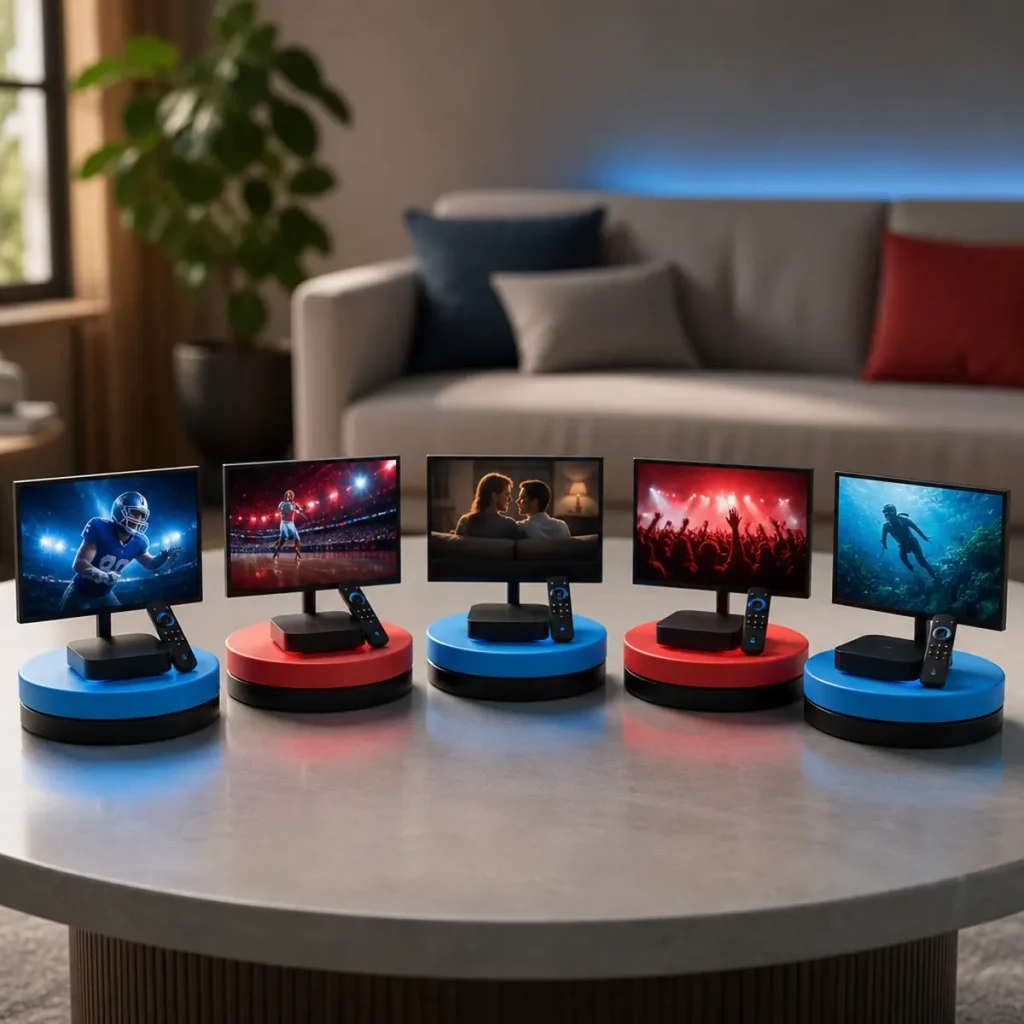
Amazon Fire TV devices provide a way to access compatible streaming services and applications on a television. You can learn more about Fire TV devices and features on the official Amazon Fire TV support pages.
they provide an easy way to turn a television with an HDMI port into a connected entertainment device.
Depending on the service, you can install an official streaming application, sign in with your account, and start watching supported content.
If you use a third-party application, make sure you understand where it comes from and only install software from trustworthy sources. Avoid modified applications or downloads from websites that you cannot verify.
For more device-specific instructions, see our guide to setting up IPTV on Smart Android TV and our Sky Glass IPTV setup guide.
Is Live TV Streaming Legal?
Live TV streaming is a technology for delivering television programming over the internet. The legality of a particular service depends on the content it provides and whether the provider has the appropriate rights to distribute that content.
Before subscribing to an online TV service, check that it is authorized to provide the channels and programming it advertises.
Using an internet connection to watch television does not by itself determine whether a service is legitimate. The source of the content and the provider’s distribution rights are important.
Common Live TV Streaming Problems
Why Does Live TV Keep Buffering?
In most cases, buffering can be caused by an unstable internet connection, Wi-Fi interference, network congestion, device limitations, or problems with the streaming service itself.
Start by testing your internet connection and restarting your router and streaming device.
Why Won’t My Streaming App Open?
Check whether the application needs an update. You can also restart your TV or streaming device and, where supported, clear the application’s cache.
Why Are Some Channels Missing?
Channel availability can change because of licensing agreements, geographic restrictions, package changes, or provider updates. Check the current channel lineup of your service.
Why Is My Picture Quality Poor?
In addition, poor picture quality can result from network conditions, low available bandwidth, application settings, or the quality of the source stream.
Check your internet connection and make sure your device is configured for the highest quality supported by both your service and your network.
Quick Checklist Before Choosing a TV Streaming Service
- List the channels you watch most.
- Compare those channels across different services.
- Check the current monthly price.
- Look for additional fees and premium packages.
- Confirm device compatibility.
- Check simultaneous streaming limits.
- Check DVR functionality if you need it.
- Review the service’s current availability in your location.
- Test the service when a trial is available.
Frequently Asked Questions About Live TV Streaming
What is live TV streaming?
Live TV streaming delivers television channels over an internet connection rather than traditional cable or satellite television. Depending on the service, it can include live sports, news, entertainment and local programming.
What is the best TV streaming service?
The best TV streaming service depends on your viewing habits. Compare channel selection, pricing, sports coverage, local channels, DVR features, supported devices and simultaneous streams before choosing a service.
What is an online TV service?
An online TV service provides television programming over the internet. It may offer live channels, on-demand content, or both, depending on the provider.
What is a streaming app for TV?
A streaming app for TV is an application that lets a compatible smart TV or streaming device access internet-delivered video content. Some apps provide live television while others focus on on-demand movies and shows.
Can I watch live TV without cable?
Yes. Many live TV streaming services allow users to watch television through an internet connection without a traditional cable subscription.
Can I watch live TV on Firestick?
Yes. Compatible live TV services can be accessed on Firestick through supported applications. Availability depends on the service and device compatibility.
Does live TV streaming require internet?
Yes. Internet-based live TV services require an internet connection to deliver their streams to your device.
Why does my online TV service buffer?
Buffering can result from slow or unstable internet, Wi-Fi interference, network congestion, device performance, or problems with the streaming service.
Should I choose live TV or on-demand streaming?
Choose live TV if you regularly watch scheduled channels, live sports or live news. Choose an on-demand service if you prefer watching movies and shows whenever you want. Some services combine both.
What should I look for in a streaming app for TV?
Look for device compatibility, an easy-to-use interface, reliable playback, useful search and navigation features, regular updates and support for the content service you want to use.
Final Thoughts
The growth of live TV streaming gives viewers more ways to watch television without depending entirely on traditional cable or satellite packages. From sports-focused services to budget-friendly entertainment options, there are online TV services designed for different viewing habits and budgets.
Rather than automatically choosing the service with the largest channel count, focus on the channels and features that matter most to you. Compare pricing, device compatibility, DVR options, simultaneous streams, sports coverage, local channels and the quality of the streaming app.
If you’re looking for a flexible way to watch television on Firestick, Smart TV, Android TV or other compatible devices, NixiHD provides additional guides covering IPTV, streaming applications, device setup and online television.
Explore more streaming and IPTV guides from NixiHD to get more from your TV streaming setup.
Leave a Reply